How to Use Camera Movements in AI Video Generation
What separates amateur videos from cinematic masterpieces? Often, it's the camera movement. Professional filmmakers spend years mastering dolly shots, pans, and complex camera choreography. But with AI video generation, you can apply these same professional techniques to your photos instantly—no camera equipment required.
In this guide, I'll show you exactly how to use AI-powered camera movements to transform static images into dynamic, Hollywood-quality videos. Whether you want smooth dolly-in shots, dramatic pans, or complex multi-axis movements, you'll learn when and how to use each technique effectively.
Understanding AI Camera Controls
Traditional camera movements require physical equipment: dollies, cranes, gimbals, and skilled operators. AI camera controls simulate these movements digitally, analyzing your photo to create realistic motion that respects perspective, depth, and natural physics.
Modern AI models understand:
- •Depth perception: What's foreground vs background in your image
- •Parallax effects: How objects at different depths move relative to camera
- •Natural motion: How real cameras would capture the same movement
- •Subject focus: Keeping your main subject properly framed during motion
- •Physical constraints: What movements are actually possible in 3D space
This intelligence creates camera movements that feel authentic rather than artificial. The result? Videos that look like you shot them with professional equipment, generated from a single photo.
Essential Camera Movements Explained
Let's break down the most useful camera movements for AI video generation and when to use each one:
Dolly In/Out:
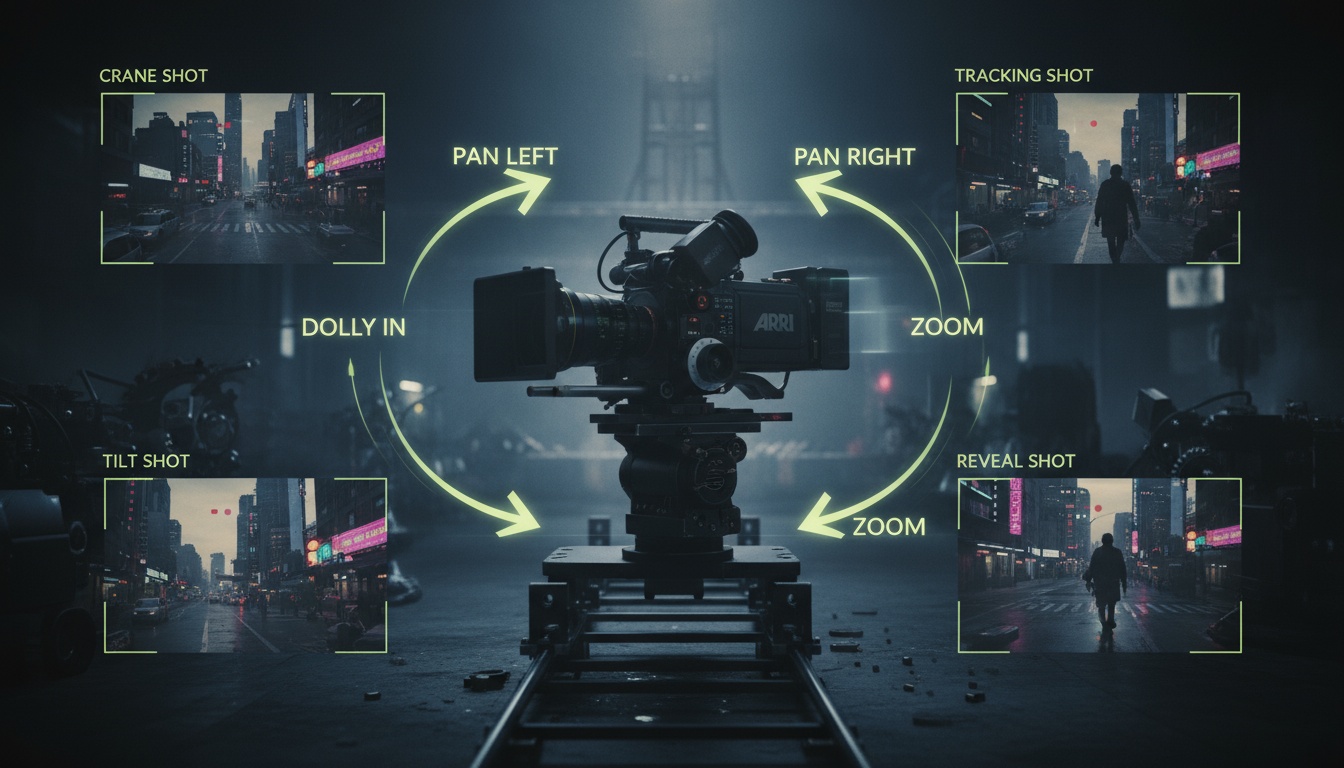
The dolly movement moves the camera toward (dolly-in) or away from (dolly-out) your subject. This creates a sense of approach or reveal, perfect for dramatic introductions or building tension. Use dolly-in to focus attention on your subject, or dolly-out to reveal context around them.
Pan Left/Right:
Panning rotates the camera horizontally while staying in the same position. Pan movements work beautifully for landscape photos, group shots, or any scene where you want to showcase width. The sweeping motion creates elegance and grandeur.
Zoom:
Unlike dolly shots that physically move the camera, zooms change the focal length optically. This creates a different perspective effect that's less immersive but useful for emphasis. Zoom-in draws viewers into details, while zoom-out provides context.
15 Professional Camera Movements
Videz includes dolly, pan, tilt, crane, handheld, and more. Just select your movement and let AI do the rest.
Try Camera ControlsHandheld:
Simulates the natural shake of handheld cameras, adding authenticity and urgency to your videos. Perfect for action shots, documentary-style content, or adding raw energy to your footage.
Bullet Time:
Made famous by The Matrix, this effect rotates the camera around a frozen or slow-motion subject. Creates a dramatic, attention-grabbing moment ideal for product reveals or action poses.
Choosing the Right Movement for Your Content
Every camera movement tells a different story. Here's my framework for selecting the perfect movement based on your content type:
- •Portrait photos: Dolly-in for intimacy, slow pan for elegance
- •Landscape shots: Pan left/right to show scope, dolly-out for grand reveal
- •Product photos: Dolly-in for detail focus, orbit for 360° view
- •Action poses: Bullet time for drama, handheld for energy
- •Group shots: Dolly-out to reveal all subjects, pan to move across them
Consider your emotional goal too. Dolly movements feel cinematic and intentional. Handheld feels immediate and raw. Pans feel sweeping and epic. Match your movement choice to the feeling you want viewers to experience.
Advanced Multi-Axis Movements
Once you've mastered basic movements, combine multiple axes for truly cinematic results:
Dolly + Pan:
Move toward your subject while rotating the camera. This creates dynamic, immersive shots that feel like you're entering the scene. Perfect for establishing shots or dramatic character introductions.
Dolly + Tilt:
Move forward while tilting up or down. Great for revealing tall subjects or creating a sense of discovery. Imagine approaching a building and tilting up to show its full height—instantly cinematic.
Crane Shots:
Simulates a crane moving up or down while maintaining focus on your subject. Creates epic establishing shots or dramatic reveals. Think of an opening scene that starts low and rises to show the full scope of a location.
These complex movements are where AI truly shines. Replicating them physically would require expensive equipment and skilled operators. With AI, you just select the movement and the inference process handles all the complexity.
Write Custom Camera Movement Prompts
Combine any movements you can imagine. "Dolly in while panning right with handheld shake." Videz understands natural language.
Get Started FreeSpeed and Duration Considerations
How fast should your camera move? The answer depends on your content and platform:
- •Slow movements (5+ seconds): Cinematic, contemplative, professional-feeling
- •Medium speed (3-5 seconds): Versatile, works for most social media
- •Fast movements (1-3 seconds): Dynamic, energetic, attention-grabbing
- •Very fast (under 1 second): Jarring, use sparingly for impact moments
For Instagram Reels and TikTok, faster movements (3-5 seconds total) maintain attention in fast-scrolling feeds. For YouTube or cinematic content, slower movements (5-10 seconds) feel more professional and allow viewers to appreciate details.
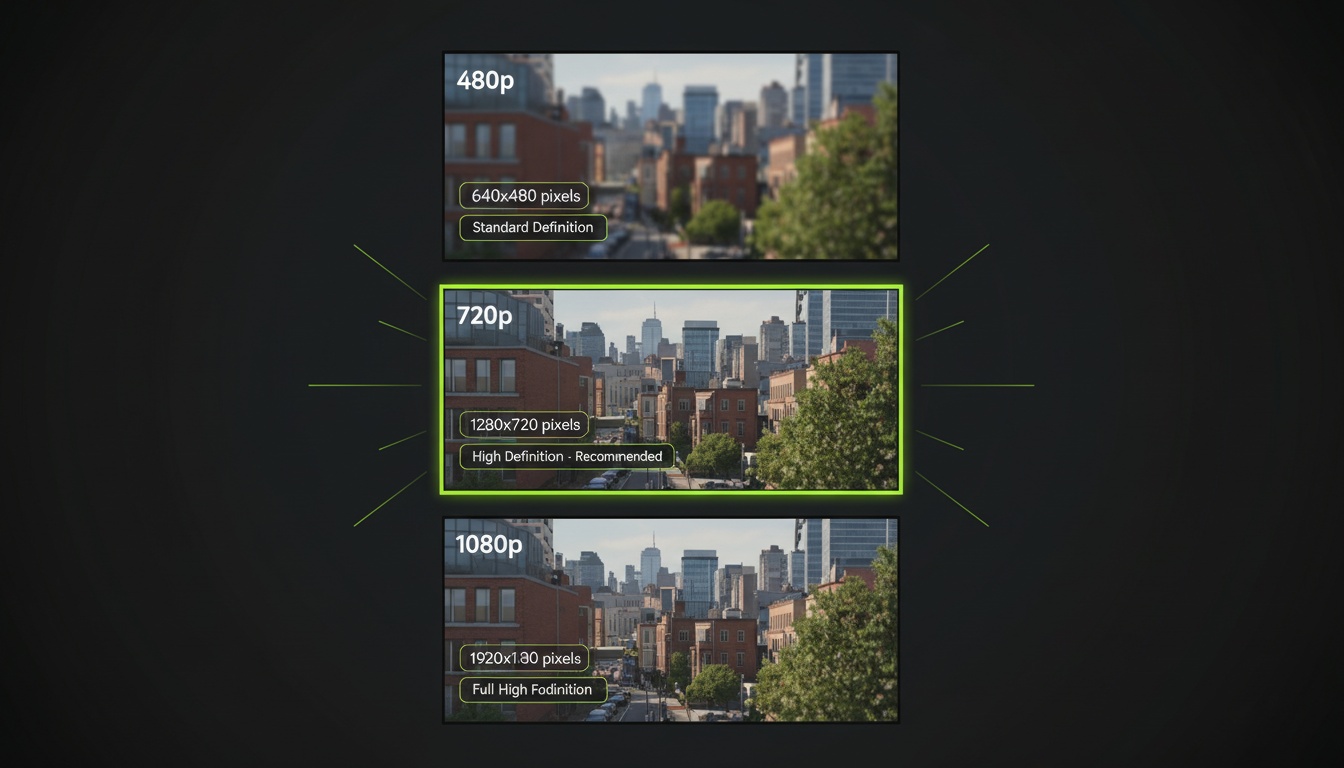
Pro tip: The resolution you choose affects perceived smoothness. 1080p movements look silkier than 480p, especially for slow, deliberate camera work.
Common Mistakes to Avoid
Even with AI handling the technical complexity, these mistakes can ruin your camera movement videos:
- •Movement too fast: Viewers can't process the image, feels chaotic
- •Wrong direction: Moving away when you should move in, or vice versa
- •Conflicting movements: Too many direction changes in a short video
- •Ignoring composition: Movement that puts subject off-center or out of frame
- •Overusing one type: Every video as a dolly-in gets predictable fast
Remember that camera movement should enhance your story, not distract from it. When in doubt, subtle movement beats dramatic movement. Your viewer should feel the motion emotionally without consciously noticing the camera moving.
Combining Camera Movements with Effects
The real magic happens when you combine professional camera movements with AI effects. Imagine:
- •A dolly-in on a Disney Princess transformation, watching the change happen as camera approaches
- •A pan across a group photo with cinematic color grading, like a movie poster come to life
- •A bullet time rotation around your product with studio lighting effects
- •A crane shot rising while applying vintage film aesthetics
- •A handheld movement combined with action movie color grading for intensity
These combinations create unique content that stands out in crowded social feeds. Experiment with pairing different movements and effects until you find signature combinations that define your style.
Start Creating Cinematic Videos
Camera movements transform static photos into immersive experiences. Whether you're creating content for social media, marketing campaigns, or personal projects, mastering these techniques elevates your work from amateur to professional.
The best part about AI camera controls? You can experiment endlessly without any equipment. Try different movements on the same photo, see what resonates with your audience, and refine your technique based on real performance data.
Master Cinematic Camera Movements Today
Videz gives you 15 professional camera movements with AI-powered smooth motion. No camera equipment, no editing skills needed. Just great photos and cinematic results.
Download VidezFounder & GenAI Expert
Founder of Videz and generative AI expert with extensive experience building AI-powered products.
Related Articles

AI Video Prompts: 20+ Examples That Actually Work
Copy-and-paste AI video prompts that generate stunning results. Learn what makes effective prompts and get inspired by real examples across different styles.
AI Video Resolution Guide: 480p vs 720p vs 1080p
Understand the trade-offs between AI video resolutions. Learn which resolution to choose for speed, quality, and cost optimization across different platforms.
AI Videos for TikTok: Complete Creator's Guide to Viral Content
Learn how to create engaging TikTok videos using AI video generators. Master effects, trends, and optimization techniques to boost your TikTok presence.