How to Choose the Right AI Video Model for Your Needs

Not all AI video models are created equal. Choosing the wrong model for your project means wasted time and disappointing results—even with perfect prompts. But choosing the right model unlocks incredible results that exceed expectations.
In this guide, I'll break down the different types of AI video models, their strengths and weaknesses, and exactly when to use each one. Whether you're creating content for social media, marketing campaigns, or artistic projects, you'll learn how to pick the perfect model every time.
Understanding AI Video Model Types
AI video generation relies on different underlying technologies. Each approach has unique characteristics that affect output quality, speed, and style:
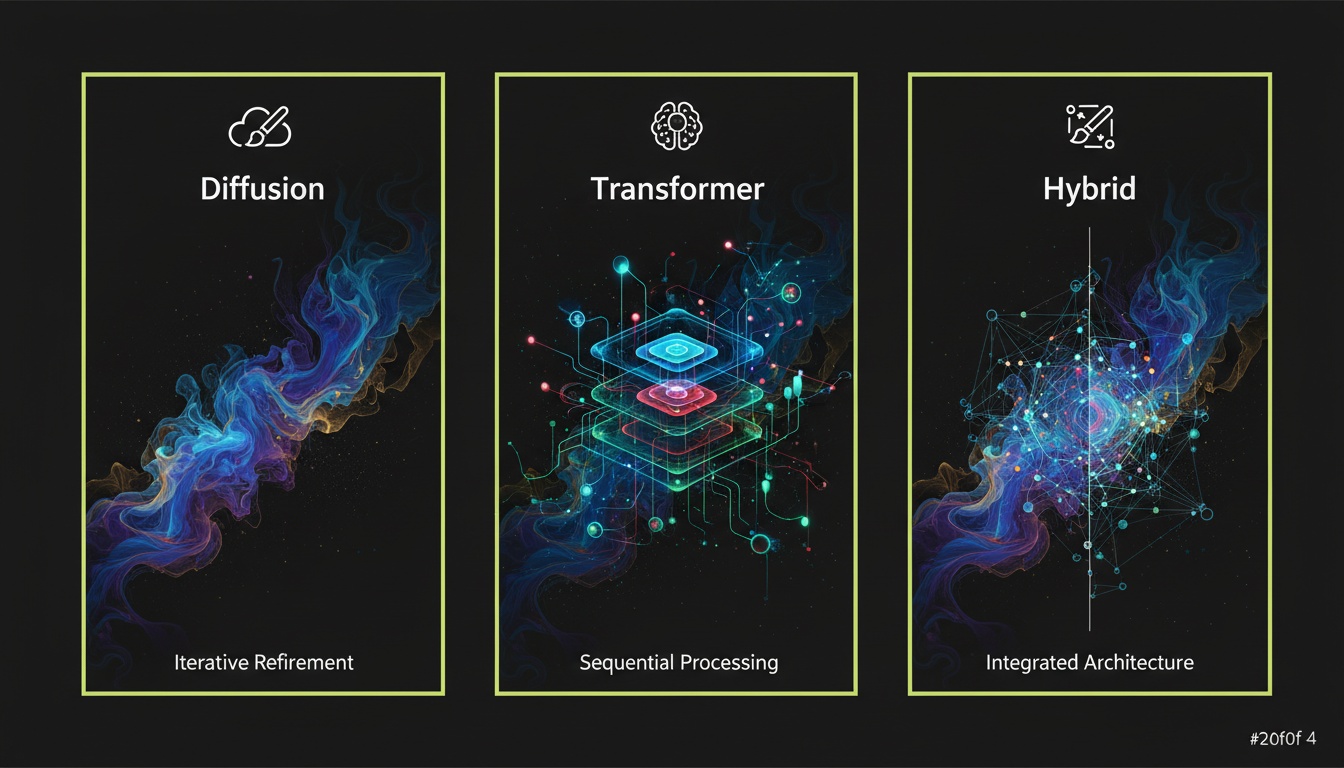
Diffusion Models:
These models work by gradually removing noise from random pixels until a coherent video emerges. Think of it like a sculptor removing marble to reveal a statue inside. Diffusion models excel at artistic interpretations, creative effects, and unique visual styles.
- •Strengths: Artistic freedom, creative effects, handles unusual requests well
- •Weaknesses: Can be slower, sometimes sacrifices realism for style
- •Best for: Creative projects, stylized content, artistic transformations
- •Examples: Most image-to-video AI effects use diffusion
Transformer Models:
Based on the same architecture that powers ChatGPT, these models understand context and relationships between visual elements. They excel at creating realistic, coherent videos with logical motion and consistent details.
- •Strengths: Realistic motion, coherent narratives, understands complex scenes
- •Weaknesses: Less creative flexibility, requires clear prompts
- •Best for: Realistic videos, documentary-style content, product videos
- •Examples: Many text-to-video models use transformer architecture
Hybrid Models:
Combine multiple approaches to get best of both worlds. These models balance realism with creativity, offering versatility for different project types.
- •Strengths: Versatile, handles wide range of requests, balanced results
- •Weaknesses: Jack of all trades, master of none
- •Best for: General-purpose video creation, varied content needs
- •Examples: Modern multi-purpose AI video generators
Model Capabilities: What to Look For
Beyond the technical architecture, evaluate models based on these key capabilities:
1. Resolution Support:
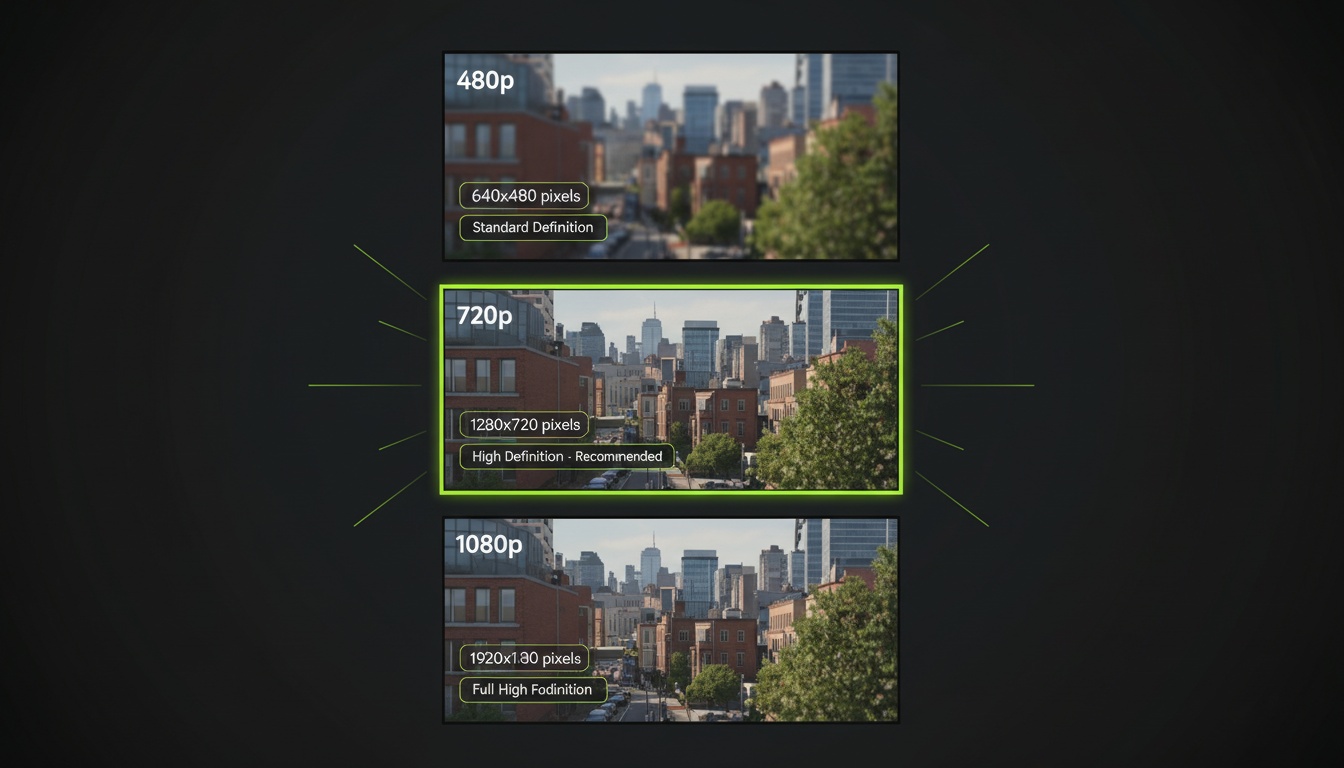
Higher resolution means sharper, more detailed videos but requires more processing power. Check if the model supports:
- •480p: Good for quick tests, small social media posts
- •720p: Sweet spot for most social media content
- •1080p: Professional quality for high-impact content
- •4K: Rare in AI video, overkill for most uses
2. Duration Capabilities:
Most AI models handle 5-10 seconds well. Longer durations (30+ seconds) are trickier—the model must maintain consistency across more frames. Consider whether you need short loops or longer narratives.
Multiple AI Models in One App
Videz gives you access to different AI models optimized for different use cases. Always use the best model for your needs.
Try Videz Free3. Style Range:
Some models are specialists (great at one thing), others are generalists (decent at everything). Consider:
- •Can it handle both realistic and artistic styles?
- •Does it excel at specific aesthetics (anime, cinematic, vintage)?
- •How well does it interpret creative vs. literal prompts?
4. Motion Quality:
The smoothness and realism of movement varies dramatically between models. Look for:
- •Natural physics (objects move realistically)
- •Consistent motion across frames (no jarring jumps)
- •Proper depth perception (foreground vs background movement)
- •Camera movement quality (smooth vs jittery)
Matching Models to Use Cases
Here's my framework for choosing the right model based on your specific project:
For Social Media Content (Instagram, TikTok, YouTube Shorts):
Choose models that prioritize visual impact over perfect realism. Social media viewers scroll fast—you need eye-catching, shareable content that stops thumbs.
- •Preferred: Diffusion or hybrid models with strong style capabilities
- •Resolution: 720p is the sweet spot (faster generation, good enough quality)
- •Duration: 5-7 seconds for best engagement
- •Priority: Creative effects, bold visuals, shareability
For Professional Marketing & Product Videos:
Realism and polish matter here. Your video represents your brand, so quality can't be compromised.
- •Preferred: Transformer or hybrid models optimized for realism
- •Resolution: 1080p minimum for professional look
- •Duration: 5-10 seconds showing product features
- •Priority: Clean aesthetics, realistic motion, brand-appropriate style
For Creative & Artistic Projects:
Experimentation and unique results are the goal. You want a model that embraces creative prompts rather than defaulting to realism.
- •Preferred: Diffusion models with strong artistic capabilities
- •Resolution: Varies by project, 720p often sufficient
- •Duration: Depends on artistic vision
- •Priority: Unique aesthetics, creative freedom, artistic interpretation
For Educational & Tutorial Content:
Clarity and consistency are critical. Viewers need to clearly see and understand what you're demonstrating.
- •Preferred: Models with high consistency and clear details
- •Resolution: 1080p for clarity
- •Duration: Whatever the tutorial requires
- •Priority: Clarity, consistency, minimal distractions
Speed vs Quality Trade-offs
Every AI model makes compromises between generation speed and output quality. Understanding these trade-offs helps you make informed choices:
Fast Models (30-60 seconds):
- •Great for rapid iteration and testing ideas
- •Often produce good-enough results for casual content
- •May sacrifice some detail or smoothness
- •Perfect for high-volume content creation
- •Best for social media where perfection isn't required
Slow Models (2-5 minutes):
- •Maximum quality and detail
- •Smoother motion and better consistency
- •Worth the wait for important content
- •Best for professional projects and hero content
- •Use when you're creating one perfect piece vs many good pieces
My recommendation? Use fast models for testing and iteration, then switch to slower, higher-quality models for final output you'll actually publish.
Optimized for Speed and Quality
Videz automatically selects the best model for your settings. Get optimal results without technical knowledge.
Get Videz NowCost Considerations
Different models have different computational requirements, which often translates to different costs per generation:
- •Budget models: Lower cost per video, acceptable quality for casual use
- •Premium models: Higher cost but noticeably better results
- •Specialized models: May cost more but excel at specific tasks
- •Resolution multiplier: Higher resolution often costs proportionally more
- •Duration multiplier: Longer videos typically cost more than short ones
Calculate cost based on your use case volume. Creating 100 videos per month? Budget models might be wise. Creating 5 hero videos per month? Premium models deliver better ROI.
Testing and Comparing Models
The best way to choose is hands-on testing. Here's my comparison methodology:
- •Use the same photo: Test different models on identical source images
- •Keep prompts consistent: Use the same prompt across models to compare apples-to-apples
- •Test your use case: Generate examples that match your actual needs
- •Compare at different resolutions: A model might excel at 720p but struggle at 1080p
- •Check edge cases: Test with challenging photos (low light, complex scenes)
Document what works for what. Over time, you'll develop intuition: "For portraits I use Model A, for landscapes I use Model B, for products I use Model C."
Future-Proofing Your Choice
AI video technology evolves incredibly fast. A model that's best-in-class today might be surpassed in months. Consider:
- •Platform flexibility: Can you easily switch models as better ones emerge?
- •Regular updates: Does the platform add new models frequently?
- •Community feedback: What are other creators saying about results?
- •Benchmark improvements: Are generation times and quality improving over time?
Choose platforms that give you access to multiple models rather than locking you into one. This flexibility ensures you can always use the cutting edge as technology advances.
Start Choosing Smarter
You now understand the landscape of AI video models and how to match them to your needs. The right model transforms good prompts into exceptional results, while the wrong model leaves you frustrated despite your best efforts.
Start by identifying your primary use case, then test 2-3 models optimized for that purpose. Once you find what works, stick with it for consistency—but keep experimenting on the side as new models emerge.
Access Multiple AI Models in One App
Videz includes different AI models optimized for effects, camera movements, and custom prompts. Always use the right tool for the job without managing multiple platforms.
Download VidezFounder & GenAI Expert
Founder of Videz and generative AI expert with extensive experience building AI-powered products.
Related Articles

AI Video Prompts: 20+ Examples That Actually Work
Copy-and-paste AI video prompts that generate stunning results. Learn what makes effective prompts and get inspired by real examples across different styles.
AI Video Resolution Guide: 480p vs 720p vs 1080p
Understand the trade-offs between AI video resolutions. Learn which resolution to choose for speed, quality, and cost optimization across different platforms.
AI Videos for TikTok: Complete Creator's Guide to Viral Content
Learn how to create engaging TikTok videos using AI video generators. Master effects, trends, and optimization techniques to boost your TikTok presence.